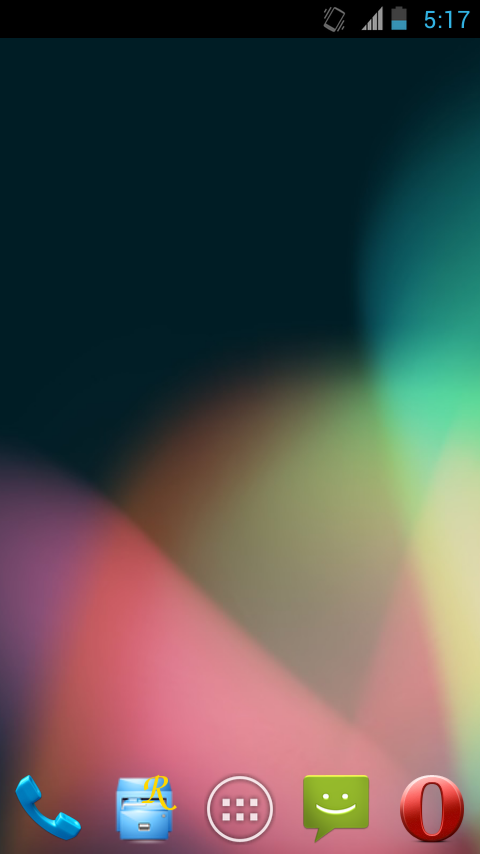
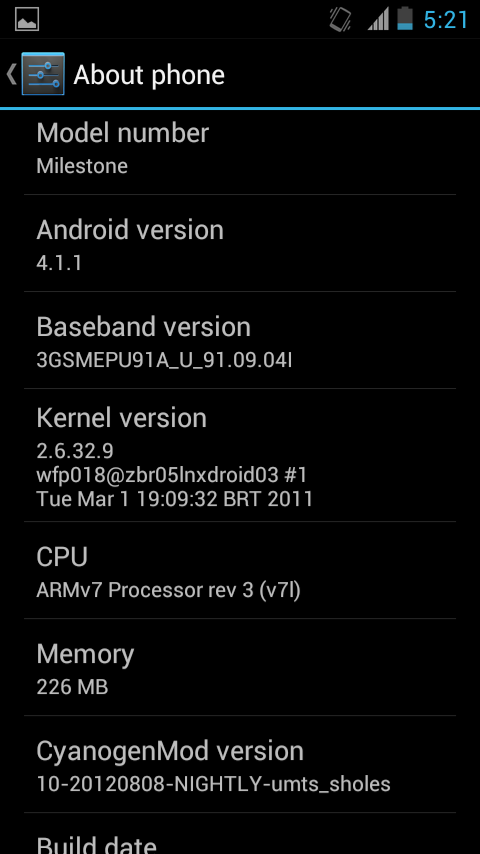
[Rom] CyanogenMod 10 for Motorola Milestone A853, How to Install and Quick Review

At the beginning of August, Skrilax_CZ has set up a build server to maintain the CyanogenMod 10 for Motorola Milestone nightly builds, no doubt the author of this unofficial CyanogenMod 10 rom is nadlabak, who builds CM7 and CM9 for Milestone. Since the source code of Android Jelly Beam is released, he has done a lot of coding jobs to make CyanogenMod 10 (Android Jelly Beam based) running on Moto Milestone A853, many thanks to him.

* How to install CyanogenMod 10 for Motorola Milestone A853 (for the guys who already playing with CM customize roms)
1. Download CM10 for Milestone nightly rom update package and the google apps for Android Jelly Beam package. (download link will be attached at the end of this post)
2. Reboot the phone to Open Recovery, wipe data, wipe cache and davilk cache.
3. Apply update, Install the CyanogenMod 10 rom then install the gapps.
4. Reboot system. First boot may take more than 5 minutes. (boot animation still CM9)

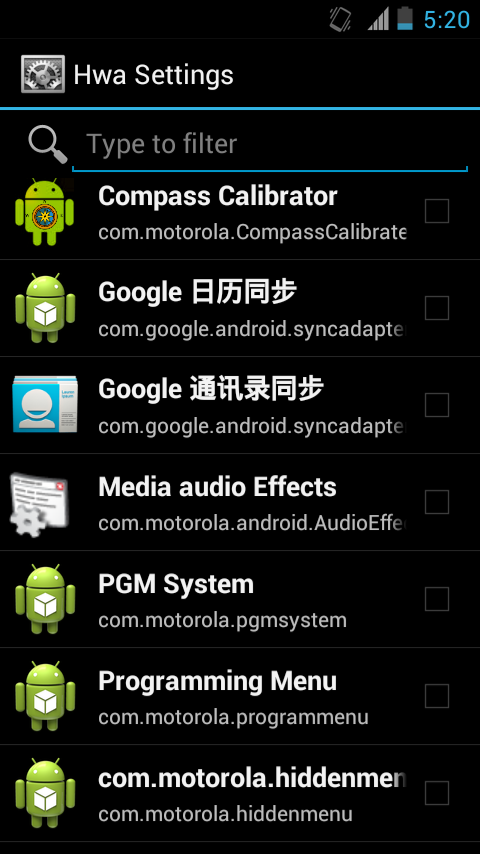
The first running of CM10 system on Milestone A853 will be very very slow, that is because every applications use the hardware accelerator, eaten up all RAM. Just be patients, after setting up your google account, the first thing you are going to do is disabled the apps using hardware accelerator, in the app drawer, you can see an icon of silver Gear, open it, then disable all apps’ hardware accelerator permissions, then reboot the phone, you will find out the system is running much smoother than before.
CyanogenMod 10 for Motorola Milestone A853 RAM usage screenshot
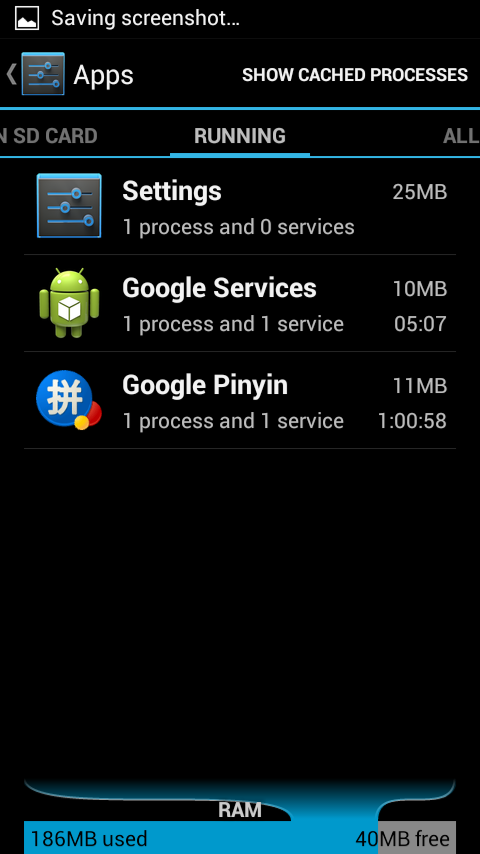
CM10 Milestone RAM usage

CyanogenMod 10 for Motorola Milestone A853 battery usage screenshot

Download CM10 for Milestone nightly builds

Download gapps for CM10 Milestone A853: gapps-jb-20120726-minimal.zip (source from XDA thread )


[Rom] CyanogenMod 10 for Motorola Milestone A853, How to Install and Quick Review

Written by Charles | ChromLoop.com · posted in Android Share, Motorola Milestone and tagged , , , , . Bookmark the permalink.

Related Articles

Visitors Also Search

cm10 milestone, cm 10 milestone, cyanogenmod 10 milestone, milestone cm10, motorola milestone cm10, cm10 a853, cm10 motorola milestone, cyanogenmod 10 motorola milestone, motorola milestone cyanogenmod 10


32 Responses to [Rom] CyanogenMod 10 for Motorola Milestone A853, How to Install and Quick Review

  1. ganesh says:

    touch screen keyboard not working

  2. Tang says:

    WiFi not working. It detected wifi signal but couldn’t be connected.

    • Tang says:

      After several uninstall & reinstall coupled with booting & reboot again & again, the wifi came to work! It’s amazing!
      However I found that the handwriting input is not working, I cannot even check the box in language & input setting!!!

  3. Betao.Jr says:

    cm-10-20120814 ok…… but it did not work cm-10-20120822

  4. Tang says:

    The CM-10-20120822 has error
    The CM-10-20120823 is suck! Can’t make any phone call.

  5. Renato says:

    Perfect. Only video recording that is not working.

  6. Renato says:

    - Applies gapps, but does not appear applications (play)

    • scoutme says:

      Did you wipe both caches?
      If so, you should reboot twice to let the boot sequence fix permissions and “optimize” apps. Consider using an ext partition for applications, too: we have very little space…

  7. scoutme says:

    keep in mind these are nightly builds of code the author hasn’t released yet. The only stable Cyanogenmod version for Milestone is CM7 from the same author (kabaldan/nadlabak). Do not blame him for something he didn’t release ;)

    Keep looking these repository for development status: https://github.com/nadlabak

  8. Mopr says:

    Looks like I just got a new weekend project!

  9. the version of 0823 is broken on my device

    On start they configure all applications so, the configuration wizard stop work, and all stop work, dont open configuration menu, dont show de buttons on botton, dont change the desktop screen..

  10. peteopablo says:

    Nice how to thx
    CM 10 runs very good in my oppinion better then CM9.
    After disable the hardware accelerator it runs much smoother, but the GApps dont run. I wiped all cache, do a lot of reboots, have also frequently repeated the update.
    So what next time i will try it again.

  11. zapax says:

    Google play not working.

  12. Betao.Jr says:

    cm-10-20120910 no Boot

  13. alphaGeek says:

    the server is down :( .

    If anyone already downloaded it… can you pls update us… Hows the new build… Is it good enuf for everyday use ??

  14. jml says:

    cm-10-20120914-NIGHTLY-umts_sholes.zip

    status 7
    instalation aborted

    • alphaGeek says:

      yeah… i got the same… tried downloading 2-3 times… everytime the same result.

        • peteopablo says:

          Go in the cm10 package and delete in /system/app/ not required apk’s
          like :
          liveWallpaper.apk
          CertInstaller.apk

          By the way you can delete in /system/media some ringtones or notifications
          copy the new package run the install
          It will run

          • jml says:

            cm-10-20120823 boot ok. but cm-10-20120914 have the same problem status 7 installation aborted ,deleting even apk’s from /system/app/

            thanks in advance for your help

  15. shrinigeek says:

    I tried installing i am getting everytime i reboot my phone, andriod.com phone stopped responding. report or ok.

    Also i am not able to find the IMEI no in About phone options.

  16. jml says:

    cm-10-20121024-NIGHTLY-umts_sholes doesn’t boot stuck on android logo

  17. M.Rahman says:

    cm-10-20121102-NIGHTLY-umts_sholes doesn’t boot stuck on android logo… need help..

  18. Eem says:

    cm-10-20121104 Nightly ..Stuck on android logo and before i download the rom i install the 2ndBootOR.
    need help..

  19. M.Rahman says:

    Every day new ROM is geeting updated, unfortunatly most of them ase useless and not booting after upgrade/sometime installation abroated/sometimes file missing/sometimes g-app itself not installing. Can someone let us know if any stable version on Nightly build avaliable with correct g-apps. I tried downloading mostly all recent and some old version. Only 14082012 is working as of now..
    Thanks in advance..
    Please stop daily ROM updtation which are confusing…

  20. jml says:

    in this page you can find a cm-9 working rom

  21. M.Rahman says:

    Since January , I have tried almost 3 to 4 updated roms , but not a single rom is witout bug.
    serios problem is happening with ststem telepony and asking for reboot frequently.
    frequent error is showing process, com.android.phone is stopped, when clicking OK, system gets hanged or signal loss. its gets rectifified only after removing battery and shutdown properly. applications are getting crashed frequently. please help.

  22. Tang says:

    I installed the CM10-10-20130404, but it just stuck at the android screen, just hanging there. I have to remove the battery and reinstall the stock rom.

Leave a message

Your email address will not be published. Required fields are marked *


*