
Recent Posts
[APK] Camera NX 7.4 is Here, Base on Google Camera 5.2, All Features & Bring back HDR+ for Nexus2015![[APK] Camera NX 7.4 is Here, Base on Google Camera 5.2, All Features & Bring back HDR+ for Nexus2015](../../../wp-content/uploads/2016/12/Camera-NX-Google-Camera-MOD-260x150.jpg) [APK] Enable Portrait mode on Nexus 5X/6P & OG Pixel phone with Google Camera mod (Updated 7.3.1)
[APK] Enable Portrait mode on Nexus 5X/6P & OG Pixel phone with Google Camera mod (Updated 7.3.1)![[APK] Enable Portrait mode on Nexus 5X/6P & OG Pixel phone with Google Camera mod (Updated 7.3.1)](../../../wp-content/uploads/2017/12/Portrait-mode-on-Nexus-5X-with-Camera-NX-mod-260x150.png) [Updated] Camera NX V7.2 for Nexus 5X/6P & Pixel Base on Google Camera 5.1 from Pixel 2, Motion Photo and More
[Updated] Camera NX V7.2 for Nexus 5X/6P & Pixel Base on Google Camera 5.1 from Pixel 2, Motion Photo and More![[Updated] Camera NX V7.2 for Nexus 5X/6P & Pixel Base on Google Camera 5.1 from Pixel 2, Motion Photo and More](../../../wp-content/uploads/2017/10/Camera-NX-v7-260x150.jpg) Download Camera NX V6 mod for Nexus 2015 Phones, Base on Google Camera v4.4 (Updated New Version)
Google Camera 4.4 Update with New Pixel Phone 2017 Support, New Hardware Zsl Hdr+ Feature, And More.
Download Camera NX V6 mod for Nexus 2015 Phones, Base on Google Camera v4.4 (Updated New Version)
Google Camera 4.4 Update with New Pixel Phone 2017 Support, New Hardware Zsl Hdr+ Feature, And More.
Featured Post
Category Archives: Sony x8
How to make CyanogenMod 9 for X8/W8 Run Faster
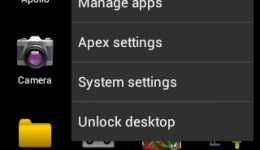
I mean the MiniCM9 for X8 when I say CyanogenMod 9 for X8. the latest version of MiniCM9 rom for X8 is 3.0.2, released on 5/26, it is much faster than the first version, but it can be more faster if you do the same settings as I do.
Android ICS 4.0.4, MiniCM9 3.0.2 for Xperia X8 Review
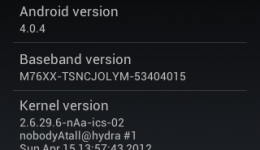
MiniCM9 is a awesome rom which is based on CyanogenMod 9(CM9), developed by nobodyAtall, he also is the author of the ICS nAn kernel, Gingerbread nAn kernel and several MiniCM roms for Xperia X8 and other Xperia phones. He is the man who gives the most outstanding contribution in the development of custom roms for X8.
How to Install Android Ice Cream Sandwich on Xperia X8 / W8 (Use Stock Kernel)

I am watching ICS video enough and I am going to install Android ICS on my X8, and I succeed, so I write down the process for you guys who wants to try something fresh. As the fix for running ICS on X8 with stock kernel is out, things is more simple than previous, I did not unlock the bootloader, so I am using the stock kernel, and everything works fine during installation, I am meaning the installation, not the system function. 🙂
Xperia X8 Users, Get Ready for Ice Cream Sandwich Update
Just post some news about the situation of Ice Cream Sandwich for Xperia X8 development. Great DEVs has made some big improve of the rom, current version is v007 II, some said it is as fast as Gingerbread, just some lags, and unstable, you can receive calls but you can not make calls, 🙂 graphics and some small things fixed, still need huge work on audio, wireless parts, camera and GPU acceleration, but with more and more DEVs join the project, development is being more fast than before, and the next build v008 will be available on next weekend.
[Video] Ice Cream Sandwich for Xperia X8
![[Video] Ice Cream Sandwich for Xperia X8](../../../wp-content/uploads/2011/11/ICS-for-X8-lock-screen-260x150.jpg)
Before yesterday, I still think it is no chance to update my Sony Ericsson X8 to Android 4.0 Ice Cream Sandwich, as more and more developers turn to develop roms for new phones, but recently, A Thread float up in the XDA-developers forum, telling people that they have succeeded in running ICS on Xperia X8,
How to Install CyanogenMod 7 Custom Rom on Xperia X8 / W8

So after we got our Xperia X8 / W8 rooted, now it is time to say goodbye to the official Android 2.1 rom, we are going to install some nice custom roms.
How to Root XPERIA X8/W8, Use SuperOneClick Tool v2.3.3

If you are using XPERIA X8 or W8, here is a guide for rooting the stock Android 2.1 system and any official update version. I think the Sony Ericsson default user interface is beautiful, but it is too slow, because there is a lot of applications running in background, many of them is the Sony Ericsson stock applications and these things can not be delete except you root XPERIA X8. Furthermore, you can install custom roms after rooting the phone.
How to Unlock the Sony Ericsson XPERIA X8 Bootloader
XPERIA X8 bootloader finally unlocked by developers, what a great news! it means we can apply any features to X8 which was blocked by the old official kernel(version 2.6.29) before, we don’t need hard code work to add some good features, such as Swap, Dual Touch, Overclock etc.
[ROM] kuyaDROID v3.1.149 for XPERIA X8 , Full Working 3M Camera, Android 2.3.5, updated on Aug 6
kuyaDROID for XPERIA X8 was updated to v3, as the CyanogenMod 7 was updated to Android 2.3.5 based, now the kuyaDROID based on the newest Android 2.3.5, coming with the Memory leak fix, solve the low memory problem, which was a annoying problem when we have updated the phone system to Android 2.3. the free memory has an increase of 10M-20M after updated the latest Android 2.3.5, so the latest kuyaDROID was recommended to update.
 Subscribe to Chromloop